
Form approvals
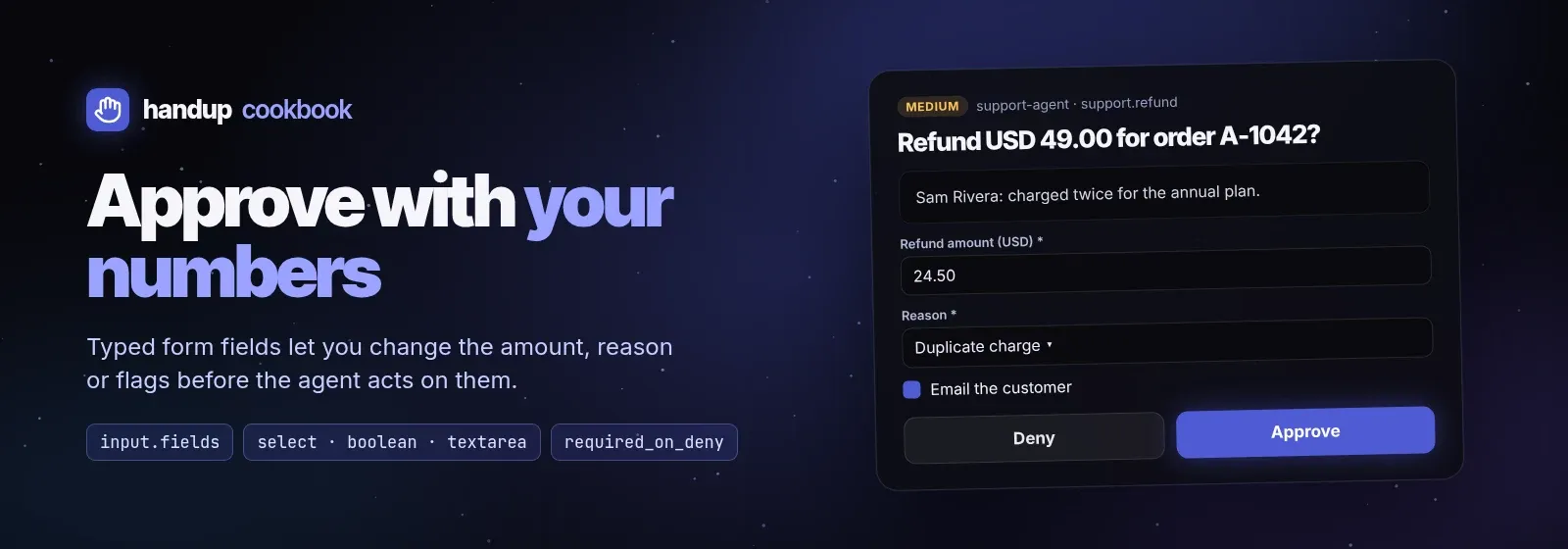
When the right answer is “yes, but for a different amount”, a plain
Approve/Deny forces a round trip. Declare typed form fields in
input.fields and the human adjusts the values in the card before approving.
This recipe gates a support refund. Script:
examples/cookbook/refund-form.sh.
sh examples/cookbook/refund-form.sh examples/cookbook/order.jsonThe request
Section titled “The request”{ "title": "Refund USD 49.00 for order A-1042?", "summary": "Sam Rivera <sam@example.org>: Charged twice for the annual plan.", "kind": "review", "risk": "medium", "tool": "support.refund", "source": {"agent": "support-agent"}, "dedupe_key": "refund:A-1042", "timeout": "8h", "previews": [{"type": "markdown", "inline": "**Customer:** Sam Rivera …\n\nProposed: full refund of USD 49.00."}], "input": { "feedback": "required_on_deny", "fields": [ {"name": "amount", "type": "text", "label": "Refund amount (USD)", "default": "49.00", "required": true}, {"name": "reason", "type": "select", "label": "Reason", "options": ["Duplicate charge", "Service issue", "Goodwill", "Other"], "default": "Duplicate charge", "required": true}, {"name": "notify_customer", "type": "boolean", "label": "Email the customer", "default": true}, {"name": "note", "type": "textarea", "label": "Internal note", "description": "Saved on the order, never sent to the customer."} ] }}Field properties:
| Property | Use |
|---|---|
name |
Key in decision.fields; unique, required |
type |
text, textarea, select or boolean; required |
label, description |
Shown above and below the control |
options |
Choices for select (strings) |
default |
Prefilled value; booleans default to false |
required |
The app refuses to approve until the field has a value |
feedback: "required_on_deny" makes a reason mandatory when the human
denies, so the agent always learns why (handup deny ID without -m is
rejected).
Reading the decision
Section titled “Reading the decision”Approved form values arrive in decision.fields keyed by field name:
{"status": "approved", "option": "approve", "fields": {"amount": "24.50", "reason": "Goodwill", "notify_customer": false}}Merge them over the defaults the human saw, then act on the result. The script prints the refund to execute:
refund=$(printf '%s' "$decision" | jq --slurpfile o "$order" --argjson req "$request" ' ($req.input.fields | map({(.name): .default}) | add) as $defaults | ($defaults + (.fields // {})) as $f | {order: $o[0].order, amount: $f.amount, reason: $f.reason, notify_customer: ($f.notify_customer // false), note: ($f.note // "")}')# The form is human input: check the edited amount before your payment API sees it.printf '%s' "$refund" | jq -e --slurpfile o "$order" \ '(.amount | tonumber? // -1) as $a | $a > 0 and $a <= ($o[0].total | tonumber)' >/dev/null || exit 4{"order": "A-1042", "amount": "24.50", "reason": "Goodwill", "notify_customer": false, "note": ""}Text fields come back as strings, so validate edited values before acting. The form is human input, and your payment API is the trust boundary.
More form ideas
Section titled “More form ideas”- Spend approvals:
amount,cost_center(select),recurring(boolean). - Account changes:
role(select),expires_in(select),ticket(text, required). - Data exports:
columns(select),redact_pii(boolean, default true),reason(textarea). - Deploys:
environment(select),canary_percent(text),notify_channel(boolean).
Forms always wait for a human: YOLO mode never
auto-approves a request with input.fields.