
Canned email replies
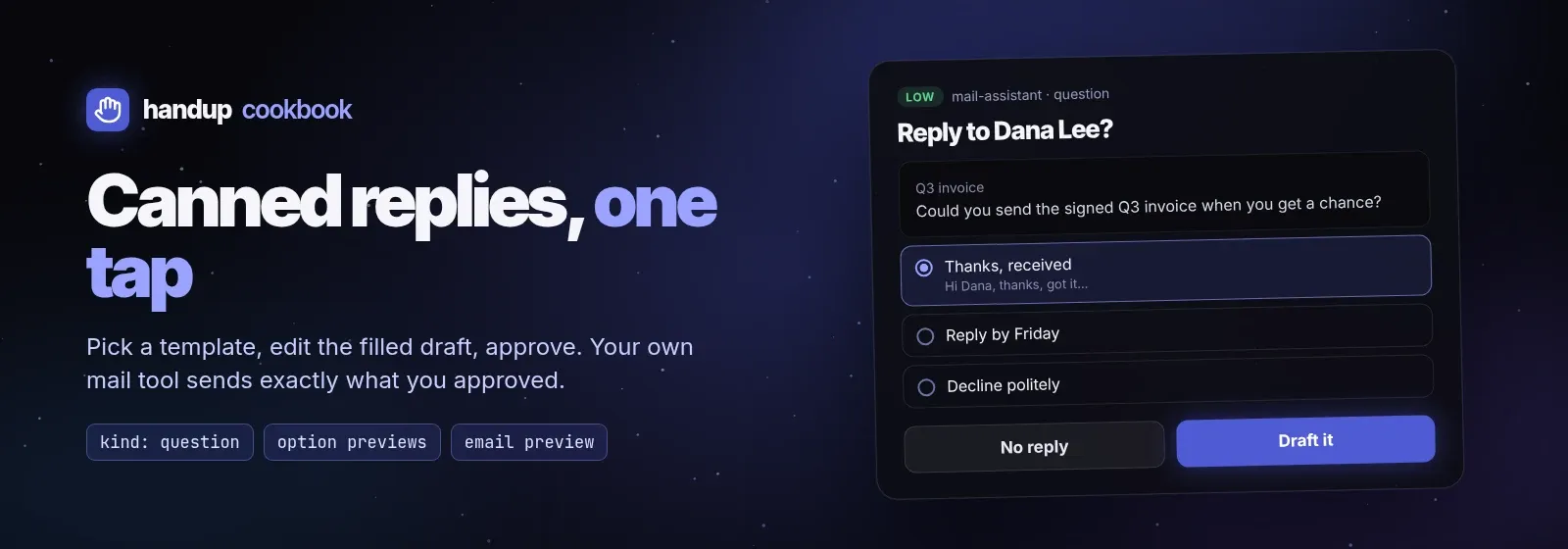
Most email needs one of a handful of answers. This recipe turns your stock
replies into a one-tap choice, then shows the filled draft for a final edit
before anything is sent. Script:
examples/cookbook/email-canned-reply.sh.
if sh examples/cookbook/email-canned-reply.sh examples/cookbook/inbound-email.json > send.json; then : # send send.json once with your own mail tool (gog, himalaya, an MCP mail tool, …)fihandup never sends mail. The script prints the approved draft
{to, cc, bcc, subject, body} and exits 0; any other exit means do not send.
1. Pick a reply
Section titled “1. Pick a reply”A kind: question request shows the inbound message as an email preview and
each template as an option. An option’s preview is Markdown shown while it
is focused, so the human reads the exact filled reply before choosing.
{ "title": "Reply to Dana Lee <dana@example.org>?", "summary": "Q3 invoice", "kind": "question", "tool": "email.reply.pick", "source": {"agent": "mail-assistant"}, "previews": [{"type": "email", "email": { "from": "Dana Lee <dana@example.org>", "to": ["ari@example.com"], "subject": "Q3 invoice", "body": "Hi Ari,\n\nCould you send the signed Q3 invoice…"}}], "input": {"questions": [{ "id": "reply", "header": "Reply", "recommended": 0, "allow_free_text": true, "question": "Which reply should I draft? Type your own text to use it as the body.", "options": [ {"label": "Thanks, received", "preview": "Hi Dana,\n\nThanks, got it. …"}, {"label": "Reply by Friday", "preview": "Hi Dana,\n\nThanks for the note. …"}, {"label": "Decline politely", "preview": "Hi Dana,\n\nThanks for thinking of me. …"}, {"label": "Book a call", "preview": "Hi Dana,\n\nThis is easier to sort out live. …"} ]}]}, "options": [ {"id": "draft", "label": "Draft it", "outcome": "approve", "style": "primary"}, {"id": "skip", "label": "No reply", "outcome": "deny"} ]}The answer is in fields.answers.reply: {"selected": ["Reply by Friday"]},
or {"selected": [], "text": "…"} when the human typed their own reply. The
script keeps templates in one jq object so a label always maps to its body:
body=$(printf '%s' "$answer" | jq -r --argjson t "$templates" \ '.fields.answers.reply as $a | ($a.text // $t[$a.selected[0]]) // empty')2. Review the filled draft
Section titled “2. Review the filled draft”The chosen body becomes a normal email draft approval:
an email preview with the original message under in_reply_to, and the
draft as editable input. dedupe_key is the inbound message id, so
rerunning the agent on the same email with the same draft while the first
request is still pending joins it instead of queuing a second reply.
{ "title": "Send reply to Dana Lee <dana@example.org>", "kind": "review", "risk": "medium", "tool": "email.reply.send", "source": {"agent": "mail-assistant"}, "dedupe_key": "reply:<CAF-q3-invoice@example.org>", "timeout": "24h", "previews": [{"type": "email", "email": { "from": "ari@example.com", "to": ["Dana Lee <dana@example.org>"], "cc": [], "bcc": [], "subject": "Re: Q3 invoice", "body": "Hi Dana,\n\n…", "in_reply_to": {"from": "Dana Lee <dana@example.org>", "date": "…", "body": "…"}}}], "input": {"to": ["Dana Lee <dana@example.org>"], "cc": [], "bcc": [], "subject": "Re: Q3 invoice", "body": "Hi Dana,\n\n…"}}On approval, send decision.fields when present (the human edited the draft;
it is the complete draft, not a patch), otherwise your own draft. Send it
once:
printf '%s' "$decision" | jq --argjson d "$draft" '.fields // $d'A denial carries feedback (“Attach the PDF first”): revise and ask again with the revision, never resend the denied draft.
Variations
Section titled “Variations”- One step instead of two. If your agent writes the reply itself, skip the question and send only step 2. Keep the question when you want the agent to stay on script.
- Per-sender templates. Choose the template set from the sender’s domain
before asking, and set
recommendedto the usual answer for that sender. - Auto-approve nothing here. Replies are external publication. Route low-stakes mail with rules only for actions like archiving, not sending.